Visions Podcast: Turn Any HDMI Scanner into a 3D Projector
Key Highlights
- BYOP combines an FPGA and onboard image sensor to synchronize projector output and image capture.
- The platform converts affordable HDMI projectors into structured-light and deflectometry 3D scanners.
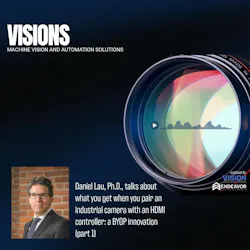



In this episode of Visions: A Machine Vision and Automation Solutions Podcast, Dr. Daniel Lau of the University of Kentucky talks about an innovation he and his team have developed, known as the Bring Your Own Projector (BYOP) platform, which uses an FPGA and an onboard image sensor to convert affordable HDMI projectors into synchronized structured-light and deflectometry 3D scanners.
Visions: A Machine Vision and Automation Solutions Podcast, is the podcast for engineers, designers, integrators, and end users who want to keep an informed eye on the imaging and machine vision industry. Every Tuesday we will explore the latest in imaging trends, developments and solutions. Here you will find interesting, useful insights and observations from expert interviews, solo episodes, even the occasional panel discussion, all of which aim to expand your knowledge on imaging and machine vision.
Related: UK Advances Structured Light 3D Imaging With Bring Your Own Projector System
Transcript
Well, hello and welcome to visions, a machine vision and Automation Solutions podcast. I'm your host, Jim Tatum, senior editor of Vision Systems design and visions is an endeavor business media production from your friends at Vision Systems Design. Here you'll find the latest on everything from end user machine vision solutions to trends, developments, and perspectives on all things machine vision and imaging. Whether you've been working in the industry for a while or you're just starting to take a closer look at it, this podcast is designed to grow your knowledge and bring greater focus to your understanding of the imaging and machine vision industry. And now on to our show.
Well, hi everybody, and welcome to Visions. I'm Jim Tatum. And today we're going to look into a very interesting question. That is, what if building a high precision, structured light 3D scanner was as simple as plugging in a projector? Well, today we're talking with Doctor Daniel Lau from the University of Kentucky about that. In fact, he and his team have come up with something they call the bring your own projector platform that turns commodity HDMI projectors into synchronized 3D measurement systems. Welcome, Doctor Lau. Thanks very much for taking a few minutes today to talk with us about this. Let's just start with an overview.
Yeah. So this is years in the making. And you know, I've had various graduate students over the years that do different parts of this. And so I was able, thanks to AI, large language models and so on, able to perfect all of the developments over the many years into a small machine vision camera package. And so what this basically is, is research. I go back to late twenty eighteen before the pandemic, and I was interested in structured light scanning, you know, for twenty five years. But as an academic, I don't have the money to go out and buy custom light engines for structured light, and those can be expensive. Our first structured light skin light engine DLP discovery Kit from Texas Instruments was a $25,000 platform, and what made that nice was you could upload patterns into static memory inside the board. And with a trigger signal from your camera, you could cycle through the patterns. And so what that allowed us to do was have pixel level control of the projected images using a machine vision camera. That work allowed us to go as fast as the camera could go, which back then was, if you remember, that was a Pro Silica GigE camera. 640. It was a VGA resolution. Um, it was a first generation GigE camera. We were getting 150 frames a second. And so the light engine, because it was, you know, its own electronics, we didn't have to worry about any of that, and otherwise I would have been using a VGA controlled consumer commodity projector, and back then those only ran at 60Hz. The problem with 60Hz or with these projectors is a graphics card in your PC is not a real time system. There's no way to know what pattern is coming out of the computer at any moment in time. And so that meant that you would grab these scans, and then you would have to post-process the video to figure out which was the first frame in the sequence. You also had to filter out duplicate frames and so on. So it was an extra level of difficulty and it was slow. And like I said, for $25,000, all those problems went away. But you know, that's $25,000, right? I can buy a commodity projector today for about $600, even cheaper. And so, you know, thanks to DLP technology and in particular 3D ready projectors, I can run at 120Hz. Okay, it's not the 150 frames that I got for twenty five thousand dollars, but it's decent. And the truth of the matter is, now that the cameras are megapixel plus cameras, they really can't go much above 120Hz. So realistically, structured light scanner at 120 frames a second is pretty impressive.
Okay, so the issue is that, you know, it's money. As an academic, I'm pretty much restricted to commodity hardware. And so we wanted an HDMI interface. And unlike VGA, VGA was great because there's a vertical sync. You could actually cut the wire, tap into that vertical sync, and you can trigger your camera off a vertical sync. Um, HDMI doesn't have that. It works at much faster rates and it has to be decoded and so on and so on. So if you cut the wire, It'll mess up the communication. You just can't do it. So we needed a way to pull the vertical trigger, vertical sync off the HDMI. And that meant we needed an FPGA to read the HDMI and pass it through.
So in 2018, my graduate student and I worked on developing an FPGA that drove the HDMI signal to a commodity projector and had GPIO to the camera. Okay. And if you remember that we even had an article that was in Vision Systems Design, it was about a dual projector structured light scanner. And what we did was the FPGA had dual HDMI, and it could be configured as input or output. And we decided to make them both outputs and drive two projectors with two different video signals. And everything was perfectly synchronized. It worked great. We loved it. However, there was a long list of things that I really, really wanted in that system that the graduate student just never got to by the time they graduated.
But at the same time, most manufacturers have switched to a custom ASIC to interface. And realistically, an off-the-shelf image sensor goes through their USB ASIC and comes out on a USB port. If we go back to 2014, 2015, 2016, most cameras did not have an ASIC in them. They had an FPGA. So here I have an FPGA that's controlling HDMI and doing GPIO. I really felt back then that why doesn't the FPGA simultaneously control the HDMI as well as the image sensor? And so again, back to that group that I had in twenty eighteen, I had a master's student who looked at taking an off the shelf image sensor, something back then from a company called Samos. And it was the Lupa 300 and a Lupa 300 was a VGA camera sensor image sensor, and the image sensor was one of the first generation image sensors that could expose the pixels while reading out pixels. And so this is where you get your up to 300 frames per second because you're reading the previous pixels out while you're exposing the next frame. And of course, pretty much all USB cameras work this way today. But back then it was a novel thing. Um, Samos was acquired by Cypress. Cypress then sold off its image sensor group to Onsemi. So now it's called the Onsemi. And it's the second generation image sensor. And it's the Python 1300, which is 1.3 megapixel image sensor. So back then we were looking at integrating two. But again, you know, students, they graduate, they move on. Uh, that work was never quite finished. And so what I've done this time around is yeah, I took the old code and working with large language models, I was able to fix all of the prior issues that we were having. And one of those issues people don't think about is the EDID of a projector. EDID is a 256 byte read only memory. And what happens in those 256 bytes is that is how a projector or a display tells the host PC what resolutions it can handle. Okay, so we wanted to do pass through, meaning we wanted the host PC to be able to pass video to the FPGA and the FPGA trigger the camera. And I mentioned to you not having a real time system. Well, the FPGA would read the top left pixel of the incoming video signal, and so the host PC could send messages to the FPGA to tell the FPGA to trigger the camera. And so this fixed. The GPUs are not a real time system issue and duplicate frames would be ignored. Only the incoming frame would trigger the camera, and you could ignore the incoming video if you just kept that top left pixel the same. And you can use an OpenGL shader to write that one pixel without any problem. So solved all the issues with not having a real time system. You can write any code you want on your PC and it passes it through. Point is, is that the FPGA could read that edid and identify the resolutions that its internal pixel clock can handle, and it can edit that edid file so that the PC only sees resolutions that the FPGA can pass through. This will work on any graphics card that you plug it into. Anything that has an HDMI port can handle this, and the FPGA will make sure that it only gets videos that the projector can handle and that can handle. So that's the sort of feature that we never got into the original work.
But getting back to the novelty of the camera is the fact that, again, people have used this particular image sensor online. You can find FPGA implementations of the Python 1300 from Onsemi. And so we decided that why shouldn't that single FPGA interface to the image sensor as well as the HDMI. And that is where we get the bring your own projector image sensor. So what we've got is a very small compact stack. I've got an FPGA board here. I've got a dual HDMI daughtercard all ordered online off the shelf, uh, USB-C interface off the shelf. The only thing that I had to design new was the daughter card that hosts the Python 1300 image sensor. Okay, all of that is being routed through a single FPGA. You don't need a host PC. It has an output HDMI. You just plug in a projector and the FPGA will read the ID of the projector, figure out what resolutions it can handle, and it will default to the fastest frame rate that the two can handle. Otherwise, through the USB port, you can choose a different resolution. Or if you plug in your PC HDMI port, it will detect that and then it will work in a pass through mode where it just passes through. And that's what that allows you to do. One other feature about it is I don't know if it's a feature you call it a bug or a feature is the fact that the particular USB-C board that we're using has a chipset that to a host PC, it looks like a serial port. And so what that means is that there's no custom camera drivers, there's no SDK to install. It's just traditional serial port communication. Now we've been able to drive that. My experiments with this is I'm able to grab from the camera at one point three megapixels. I've gotten up to 144 frames per second, but with the HD. So you can use it as just a regular machine vision camera, you just use it as a USB camera. But if you plug in HDMI, then it'll sink to the HDMI port, in which case you only needed that 120 frames a second, assuming you have a 3D ready projector. And so yeah, all of that is what happens if you're doing something called Deflectometry. You can use an LCD display with HDMI to generate your patterns on that, and then rely on the reflectance of the LCD panel off a shiny surface synchronized to the camera, and you're able to do deflectometry in addition to doing structured light scanning. All of that is capable in the FPGA. And again, this is an off-the-shelf Alchitry board. Um, you could easily reprogram the FPGA code any way you want. I use phase measuring profilometry or sinusoidal gratings. You could go in there and modify the code to project whatever you want. Or you can just pass video through your HDMI port from your PC. You can send your own patterns to it.
Um, well, just in somewhat round real numbers. I know this sounds like it saves a tremendous amount of money.
The problem with custom light engines, they are extraordinarily expensive. They also have very weak light engines. I mean, look, I can buy a commodity projector. I can get one thousand lumens or more. My favorite projector is the Optima ML-750 ST and ML-750 means its LED based. Um, it's not incredibly bright. I think its actual lumens is less than 500 lumens. If you actually get the sensor out and you measure the luminosity of the thing, but they say 750 and the reason they say 750, they say a human being looking at the image, it's so bright and vibrant. A user thinks it's 750 lumens. That's why they come up with the 750. The S T stands for short throw. It's not ultra short throw, but it is for an off the shelf projector. It's got a really wide field of view. So the beauty of this particular projector is it's about $800 on Amazon. And I've been extremely happy with it for structured lighting. Even at 500 lumens, you really are brighter than most custom light engines. And so the commodity gives you much brighter on a per dollar basis. And because it's LED based, you get that 20,000 hours of life. I would call this disposable. If you want to build a structured light system, you can put on your assembly line, this is fine. Okay. It's broken. Just throw it away. Buy a new one. Doing structured light, you typically have to calibrate the camera and the projector. But if you want a disposable projector, which is what you get because of how cheap these things are, if you're doing active stereo, you only have to calibrate the cameras. You don't have to calibrate the projector. Where we got into the daisy chaining is the fact that because the camera is synchronized to the HDMI, you can daisy chain these and all the cameras will sync to the HDMI. And so the same trigger delay and the like. And so the point is that, yeah, you can do N cameras in an array and synchronize them over HDMI instead of a custom GPIO cable. And I think I mentioned this Allied vision uses a JST cable, which is convenient because you can buy JST cables, you can get a little kit crimp tools, you can make your own JST cables, although I don't recommend it at that size. If you go to Basler, they have a hero, say six connector. You know, you can get those cables made, you can buy those cables, but I can go to Best Buy and buy HDMI cables all day long.
Well, that's got to open up a zillion new applications that people just thought, nah, no way. So what are some things that this makes really possible?
It's the compiler tools for VHDL or Verilog for this. They're free. I'm not saying they're open source, but the low level basic tools are based on. It's a Xilinx Artix 7. You can get a free license of Vivaldo from Xilinx because they make the chip. They don't give you all of the tools, but you have enough. I did everything with with Claude, and this is the other thing, is that people don't program with an FPGA because nobody knows how to program an FPGA thanks to large language models. Now, you don't need to be an FPGA programmer to program FPGAs. And so what that means in this particular case is that anybody could take the same hardware and they could say, well, I don't want to use your particular patterns. I want to mimic a laser strike. You know, I'm just going now may not be as good as a commercially available laser profile system, but I think in a lot of applications it would be good enough. And so the idea that you can push code onto the FPGA, this gives you a very, very high level of flexibility for end users. And with the tools that are available today to take a CAD file for an enclosure, send it to proto labs or one of those 3D print labs, get it in whatever exotic material you want. I think it creates just a lot of opportunities. Now, I personally hope that within the structured light research it's done at universities. This is just going to become a standard way that everybody's you know, the academics, I think are going to gravitate to this very quickly. And as you said, there is still a tuning of the camera to the commodity projector. And I don't know if you know this, but commodity projectors, when they get a frame of video, they hold on to it before they project it. There's a delay. And so those sort of things, you have to experimentally figure out what those are. And actually, as a matter of fact, when I'm in the process of doing now, is I 3D printed a holder that mounts my image sensor on the projector lens, and I'm actually using the image sensor as a light sensor. And what I can do is profile the device in a sense that I can take very, very quick snapshots and sweep them over the frame. And then what I can do is I can generate, if you see the paper that we published on the dual projector system, we actually used a light sensor to show when light was coming out of the projector so that you know what the trigger delay is and what the exposure is. And with this system, since it generates the HDMI signal that drives the projector, it can read the pixels, it can actually do all of that internally where you can just snap this on the front of a projector profile, the projector, and, you know, twenty minutes to an hour. And then all of a sudden it's programmed itself. It's perfectly in sync with that particular projector. And so you can take a lot of that busy work, put it in the FPGA, let the system do it all on its own.
When you write code, it's top down. When it's an FPGA, all lines of code are working at the same time. So the only way to control timing, make sure this line here comes after this line is you got to have a clock and you got to trigger every action on a rising edge or a falling edge. It's just a lot, lot harder to program FPGAs. I haven't done it myself in years. You just take what I used to rely on a graduate student to go away, do, and come back. I can now, hey Claude, this is what I want and get it. Um, and it's iterative. You got to test. Well, this isn't working. Fix this, fix this.
The camera that I picked, the image sensor, something about the Python 1300. Um, I picked it because there was existing FPGA implementations. There was no risk involved with the Python. I was impressed by the PCB design. Okay. However, you know, somebody would tell you that the design of the circuitry that what it does is, is that the camera, if you have a noisy power source, you can see it in the pixels. Your 3.3 volts powering the chip is fluctuating. And you can see that as you read top to bottom, you will need to fix that. Oh yeah. The power supply that if you're taking it off the USB port, well, that's noisy what you want to do. And again, this is Claude saying this. It says you want to step up the voltage from 3.3 up to 4.2. And then from 4.2 we'll bring it back to 3.3. And we'll do it in such a way that with a lot of capacitors, it'll be noiseless or it'll be as close to noiseless as we can. And so it figured out the schematic. And again, it's not magic. This is a standard circuit design, but I'm not familiar with it. It took care of the PCB. It read all the schematic files from Alchitry. As far as figuring out the dimensions and the connectors, you can't really see it. But the daughter cards on this system use a hero, say DF four. I call it DF four. It's a lot longer name. It's a DF40 connector. So there's two 80 pin connectors and a 40 pin connector. And if you're familiar with these things, these things are very, very tiny. The wires are obscenely tiny. At 53, I had to use the dissecting microscope to look for bad wires, right? I mean, that's what you're at, right? So you got to use assistance to see the pins. Point is, is that if you are off by, I don't know, you know, five, ten microns with the alignment of the connectors, it wouldn't click in and you know, it read the CAD files. It knew exactly where to put the connectors. I was using KiCad again, a free software. Um, it designed all the PCB and the like. And so, you know, designing the PCB, getting it. Then it even told me how to order the PCBs assembled online. The only thing I had to do was, as I mentioned before, is that the image sensor itself was not in stock from the PC Assembly board house. For that reason, I bought the camera chips myself and then I had to hand solder them to the board. That is the only thing that I had to do in this design. And that is what, like I said. But again, you know, the code is all out there. It did not generate any design that wasn't already out there. Now, one of the things I will say is the problem that I ran into when I tried to get an arbitrary image sensor online is these image sensors, they have internal registers for controlling exposure, trigger delay, set up, booting it all in that sort of thing. Um, I found out that a lot of that stuff is under n d a, and none of the camera manufacturers that I reached out to would let me have access to that information. So it wasn't just that I had to find a board that there was already FPGA, I'm sorry, image sensor, FPGA code is the fact that this one actually had all that register information publicly Available. So I personally was limited in my choice of image sensors. But this thing really is an amazing image sensor and there are features for there are very few manufacturers actually made a camera out of this image sensor. I believe XIMEA actually has a had a camera that based on the Python 1300, it has up to eight independent regions of interest. You can define. And according to the spec sheet, it will only stream pixels from the ROIs if you so choose to implement those. And that is a feature that I just haven't seen in anybody's SDK. The other thing I was going to say is I am running this as an image sensor. I'm running this camera with an exposure down to five microseconds. The SDK from XIMEA will only let you bring it down to about 24, 25 microseconds. I don't know why. They probably didn't think anybody needed to only run it at five microseconds. I'm just simply saying is that I was able to uncover features of the image sensor that are not exposed to us through the traditional camera manufacturer. And so I think there's new markets for this particular image sensor, thanks to the fact that anybody can design these things from scratch.
Okay. What do you think the next step will this will be?
What's nice about this particular system is the fact that if I don't have an SDK to worry about, I'm going to be able to interface this to pretty much any piece of hardware with a serial port. So that I actually think is the next step. And the next step is I'm working with another faculty member, uh, who's the, the idea now is the fact that, you know, if you go to a factory that's open forty hours a week, that's got hundreds, if not thousands of cameras, each one of those cameras has an FPGA in it. Well, what are these FPGAs doing on the weekend when the factory is not open? And we're expanding this to include what I call cameras as compute, which is to say, hey, you got a bunch of cameras that are daisy chained together over HDMI. They have high speed, bidirectional USB connections. If I've got this, if FPGA, why don't I reprogram it on the weekends to process data and I can feed data up from my PC to the USB.
Well, that's a wrap for this episode of visions produced by Endeavor Business Media, a division of endeavor B2B. Thanks very much for tuning in. If you enjoyed today's show, be sure to subscribe to the podcast and share this episode with a colleague who would find it helpful. Until our next episode, you can find us at vision dash systems dot com or on LinkedIn, Facebook or X for more insights, updates, and breaking news to keep you in the know. Thanks for tuning in. Until next time, stay focused on your visions.
About the Author
 Jim Tatum
Jim Tatum
Senior Editor
VSD Senior Editor Jim Tatum has more than 25 years experience in print and digital journalism, covering business/industry/economic development issues, regional and local government/regulatory issues, and more. In 2019, he transitioned from newspapers to business media full time, joining VSD in 2023.